How to Add the Time Off Requests Widget
____________________________________________________________________________________
The Time Off Requests Widget provides an easy way to view and manage pending Time Off Requests from the Dashboard. Follow the instructions below to learn more.
____________________________________________________________________________________
How to Add the Time Off Requests Widget
1. Click  at the very top of the Left Navigation Bar to open the Dashboard.
2. Click  to enable the Manager Dashboard (if applicable).

3. Click  at the top right of the screen and select
  .
.
4. Select  .
.
5. In the Widget Gallery, enable  and click
 .
*** Time Off Requests Widget will now appear on the Dashboard
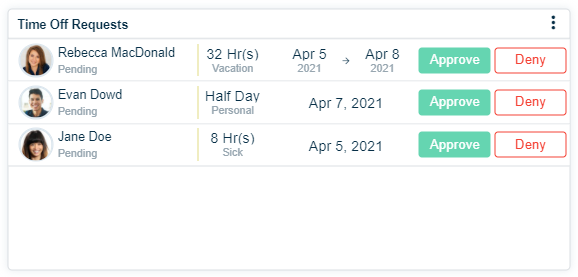
If  is displayed, the Time Off feature has not been set up or there are no pending Time Off Requests.
6. Click in the bottom right corner of the screen and then click
 to save this widget to the dashboard.
____________________________________________________________________________________
Widget Settings Overview
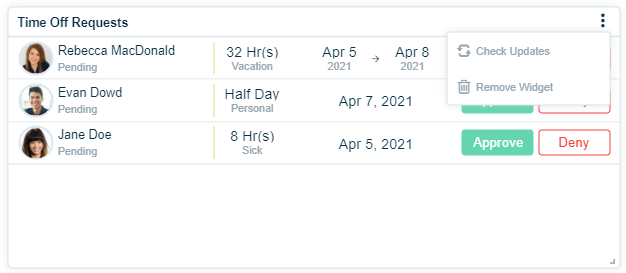
1. Click  to access the widget options
-
 updates the widget to display the latest information
 removes the widget from the dashboard